

The MCP server introduced in JProfiler 16.1 gave AI coding agents a focused profiling workflow: record CPU data, find hot spots and drill into them. In JProfiler 16.3, the MCP server has grown far beyond that initial feature surface and now covers all major JProfiler subsystems, so agents can perform complete profiling and analysis workflows on their own. The MCP tools reference shows all available tools and resources in detail.
What's new in JProfiler
Please see the change log for a detailed list of all changes.
The newly supported subsystems:
- Heap dump analysis: Heap dumps can be taken in live sessions, and both new and existing snapshots can be analyzed with class histograms, biggest objects, instance queries with value filters, reference chains, paths to GC roots, dominator chains and automated heap inspections. Heap walker scripts can be used for filtering and custom grouping.
- Probe events: Individual events with back traces, event histograms and event timelines can be queried, and open control objects such as JDBC connections are listed for leak analysis together with the stack trace of the open call.
- Monitors and locks: Monitor statistics, contention timelines, locking history and lock graphs are available, as well as monitor dumps of live JVMs for deadlock analysis.
- Thread dumps can be taken, including virtual thread hierarchies.
- GC data: Individual garbage collections with causes, pause times, phases and heap usage, as well as the GC configuration and flags.
- MBean snapshots: Current JMX MBean attribute values can be captured on demand or periodically.
- Telemetries: All telemetry datasets are available, from CPU and heap usage to the probe telemetries.
- Allocation recordings: Allocation hot spots and call trees show the allocated classes and bytes per call site, including objects that have already been garbage collected.
- Method complexity analysis: A script defines the complexity of each method call, for example the size of an input collection, and curve fits relate the measured execution times to common big-O complexities.
- JavaScript origin tracking: Browser call stacks for XHR requests in the profiled application.
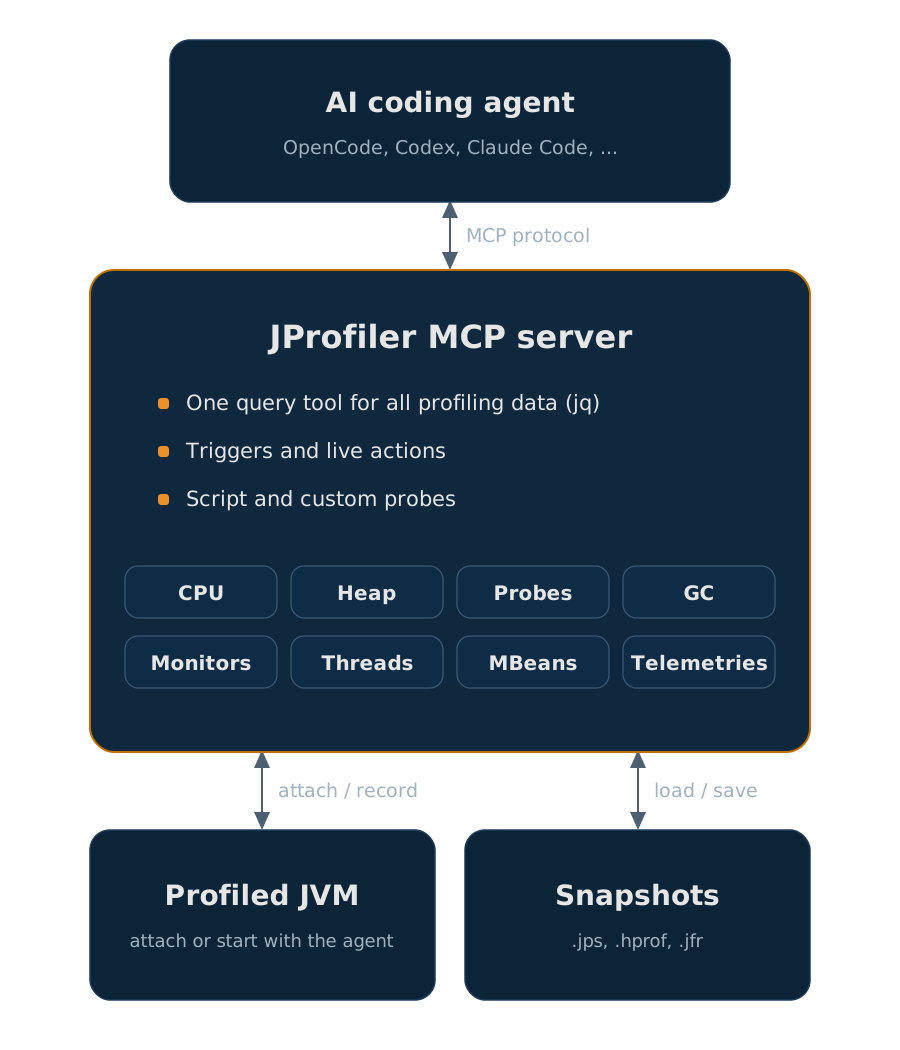
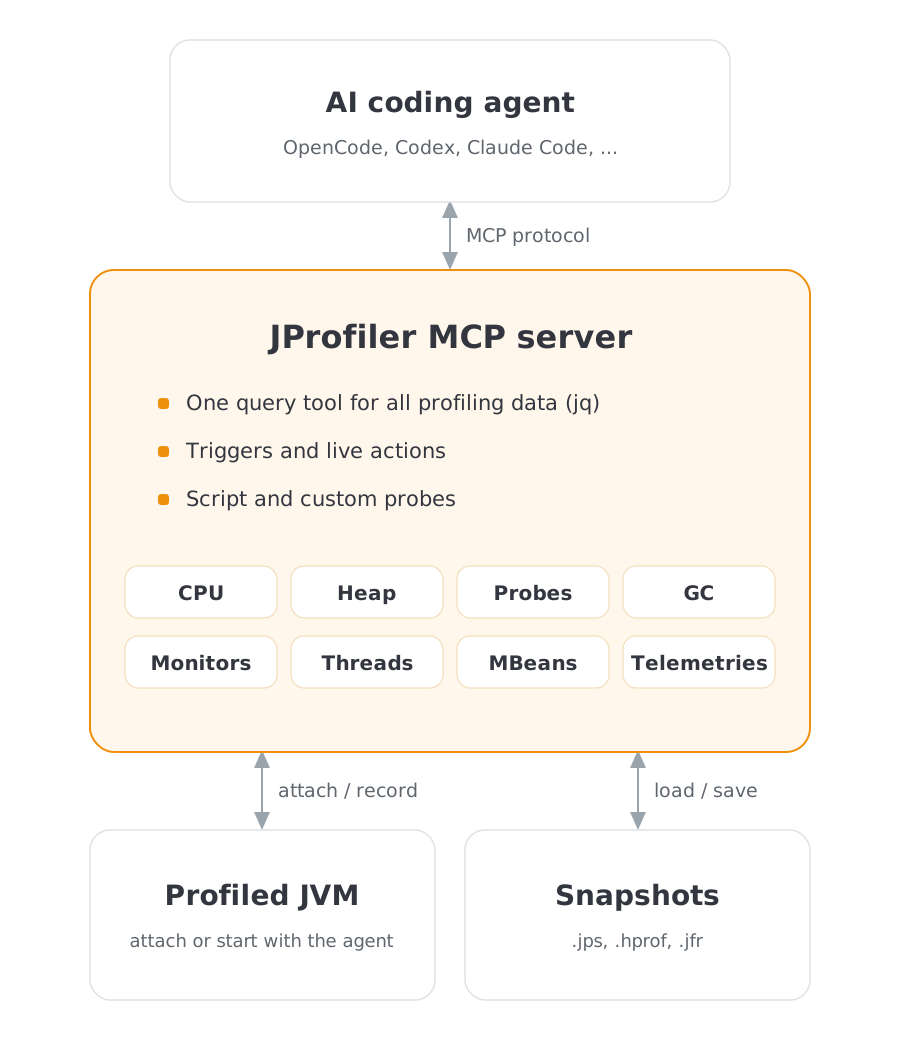
CPU analysis has been extended as well: agents can now select threads and thread groups, filter by thread status, attribute hot spots and call tree nodes to individual threads, and track down occasionally slow calls with outlier detection and exceptional method recording.
Triggers let agents capture data that interactive tool calls cannot catch. Actions such as thread dumps, heap dumps and MBean snapshots can fire automatically on a timer, when a heap or CPU threshold is crossed, or when a particular method is invoked. This makes it possible to record from JVM start and to watch long-running sessions for transient states like heap spikes. The same actions can also be executed directly as live actions on a running JVM.
With script probes, agents can define entirely new probes on the fly: a script probe intercepts selected methods with a snippet of Java code and records its results like a built-in probe, without any deployment step. For permanent instrumentation, agents can write custom probes that become part of the profiled application, most conveniently as embedded probes with the embedded probe API. Custom probes are recorded and analyzed in the same way as built-in probes, and the probe configuration as well as the script and custom probe APIs are exposed as MCP resources, so agents can look them up while they work.
All data is retrieved through a single query tool with jq expressions that replaces the many special-purpose tools of previous versions. The smaller, uniform set of tools makes agents more reliable: there is one way to filter, aggregate and drill into profiling data, and it works the same across all subsystems.
Setup is unchanged: configure your agent from the JProfiler UI or follow the instructions on the MCP setup page.
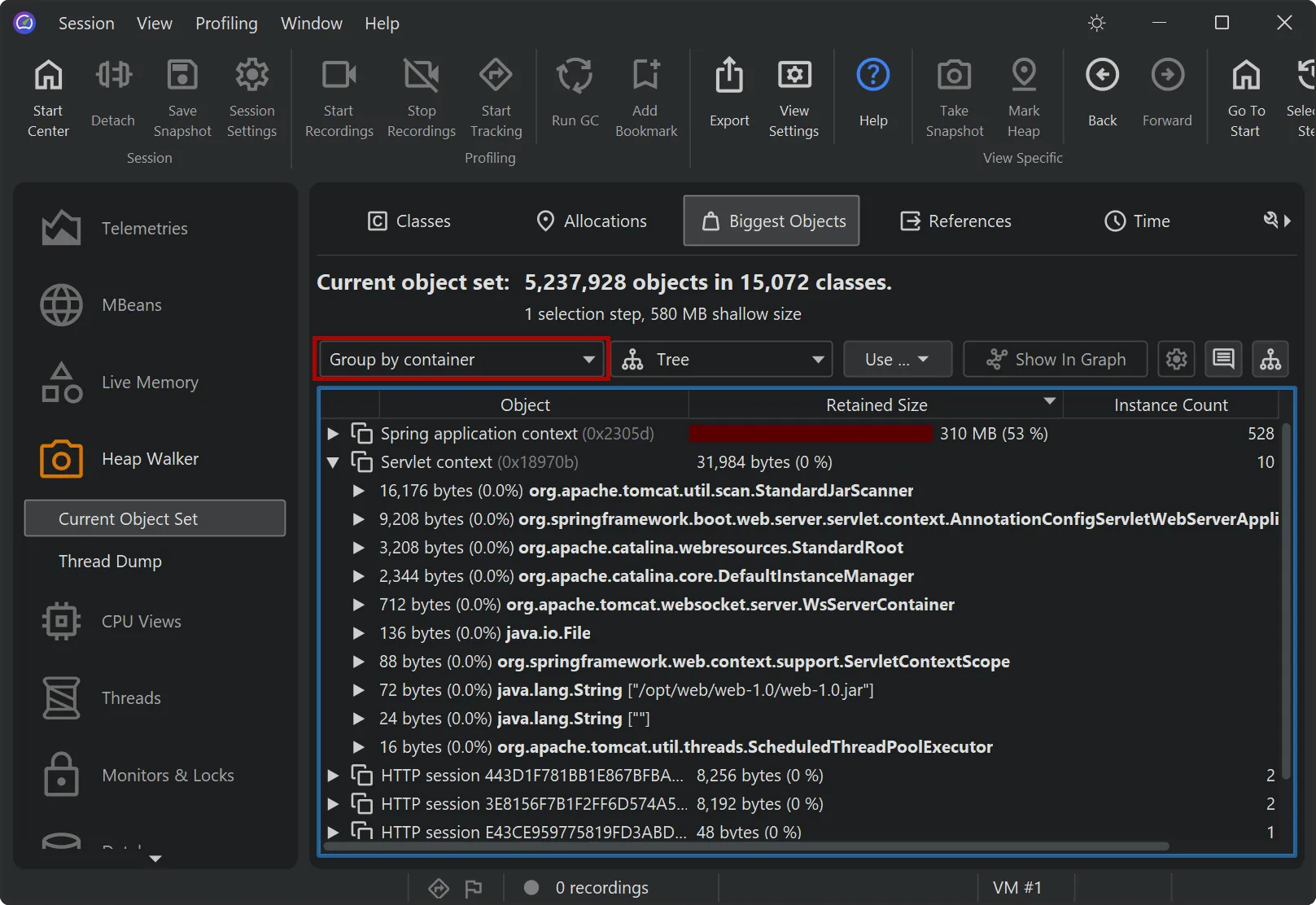
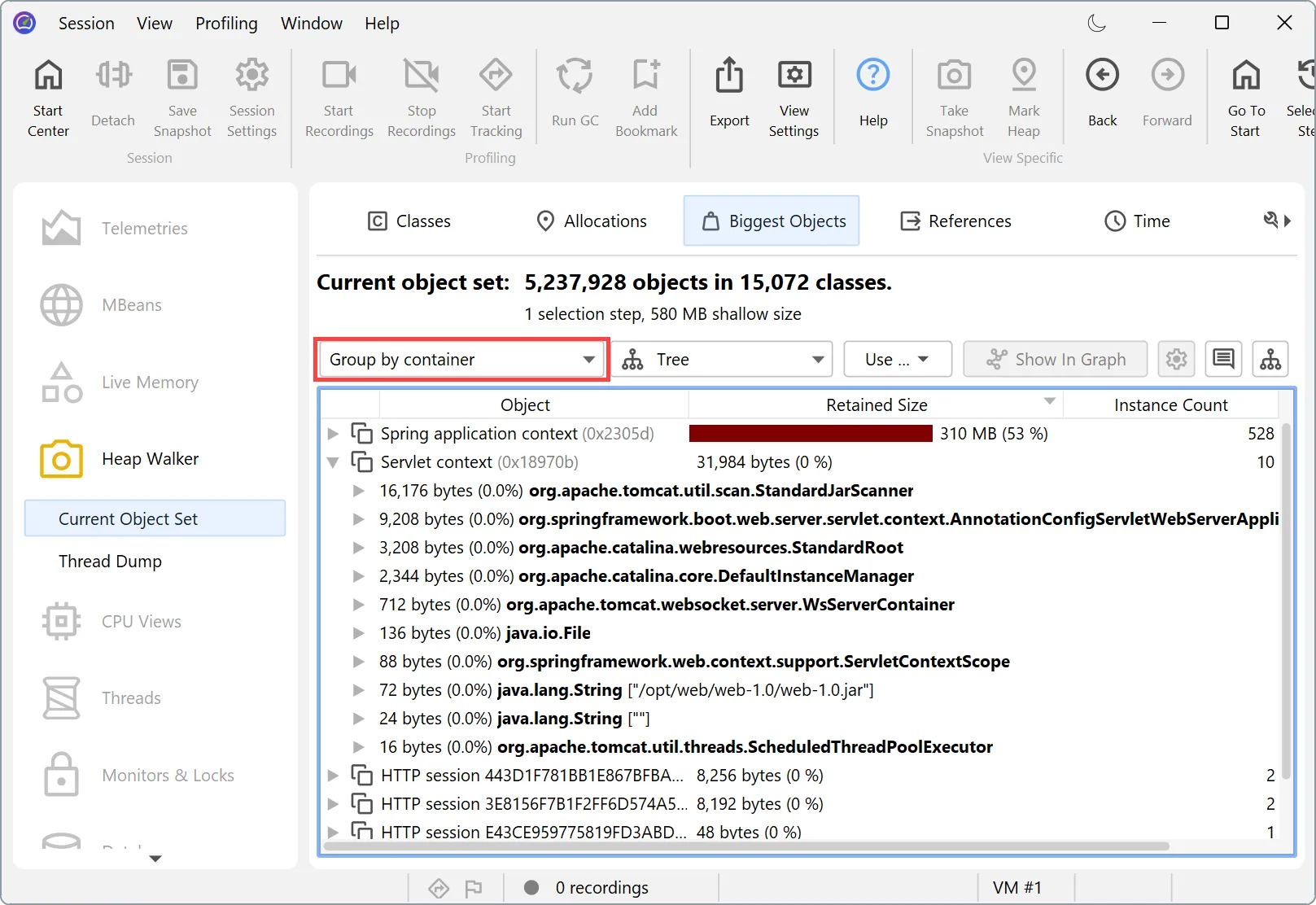
The biggest objects view in the heap walker now understands the semantics of common frameworks. With the new "Group by container" grouping, objects are grouped by the framework container they belong to. The top level shows labeled container nodes for Spring application contexts, servlet sessions, servlet contexts and Hibernate persistence contexts, together with the cumulated retained size of their managed objects.
Expanding a container shows the managed objects directly, without any chains of framework registry internals in between. Questions like "which servlet session retains the most memory" or "which Spring application context does this object belong to" can now be answered directly in the biggest objects view.
JProfiler now ships a Maven plugin, closing the gap with the existing Gradle plugin and Ant tasks. The
profile goal runs a main class of your project with the profiling agent attached:
mvn com.jprofiler:jprofiler-maven:16.3:profile -Djprofiler.mainClass=com.example.Main
Alternatively, the plugin can be configured in the POM:
<plugin>
  <groupId>com.jprofiler</groupId>
  <artifactId>jprofiler-maven</artifactId>
  <version>16.3</version>
  <configuration>
    <mainClass>com.example.Main</mainClass>
  </configuration>
</plugin>
Then mvn jprofiler:profile is sufficient. Further goals support headless work in CI environments:
export, compare and
analyze process snapshots from the command line, and set-agentpath-property prepares a
property with the -agentpath VM parameter for use by other plugins. See the
Maven goals documentation for details.
The Gradle tasks and the new Maven goals can now download a JProfiler installation automatically if none is configured on the build machine. This makes it much easier to profile in CI pipelines: there is no need to install JProfiler on the build agents first, the build integration provisions the requested version on demand.
In Gradle, simply omitting the installation directory is sufficient:
jprofiler {
    // installDir = file('/opt/jprofiler')
}
Without installDir, the plugin downloads a JProfiler distribution whose version matches the plugin
version and caches it in the Gradle user home directory. The Maven goals work the same way.
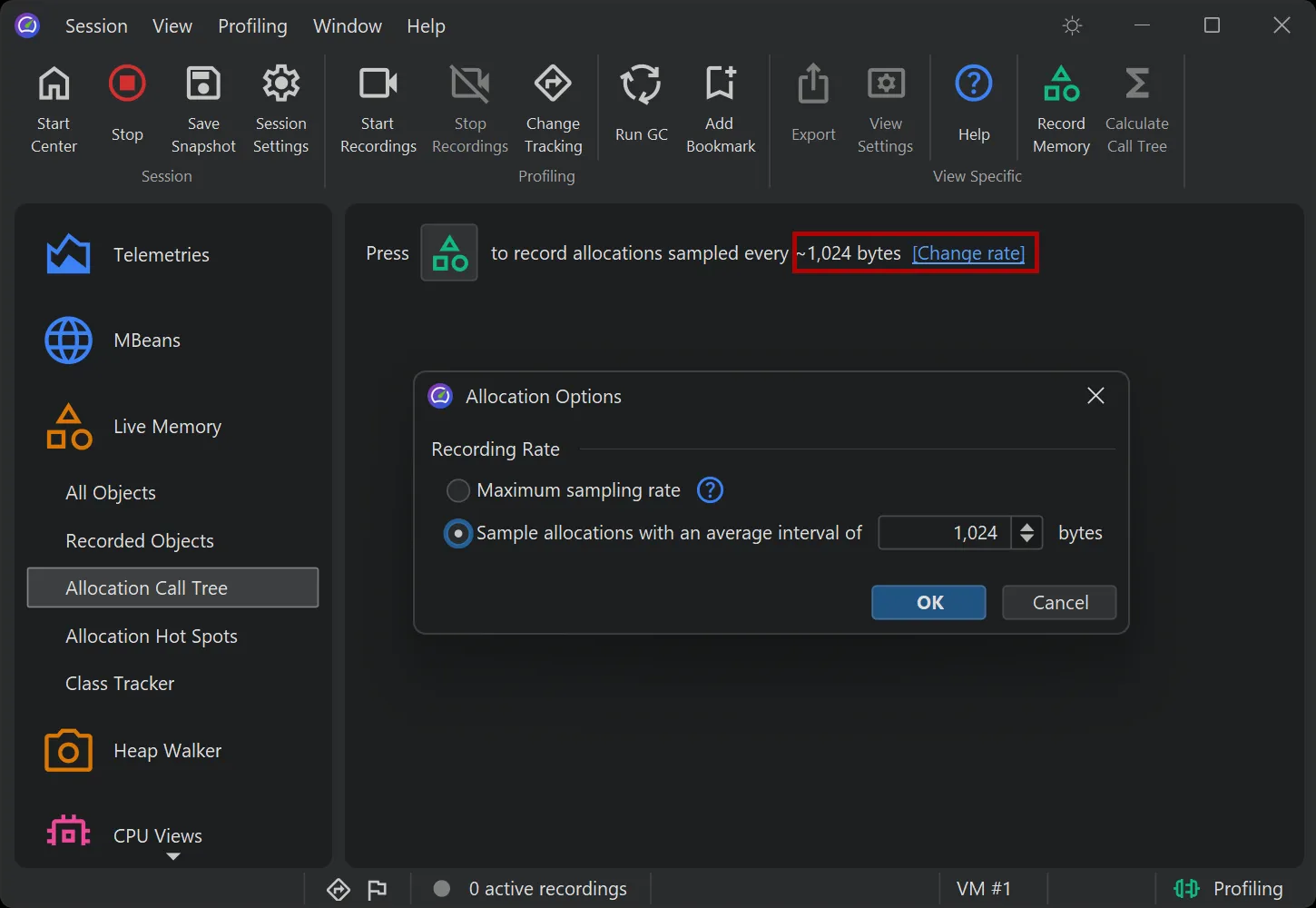
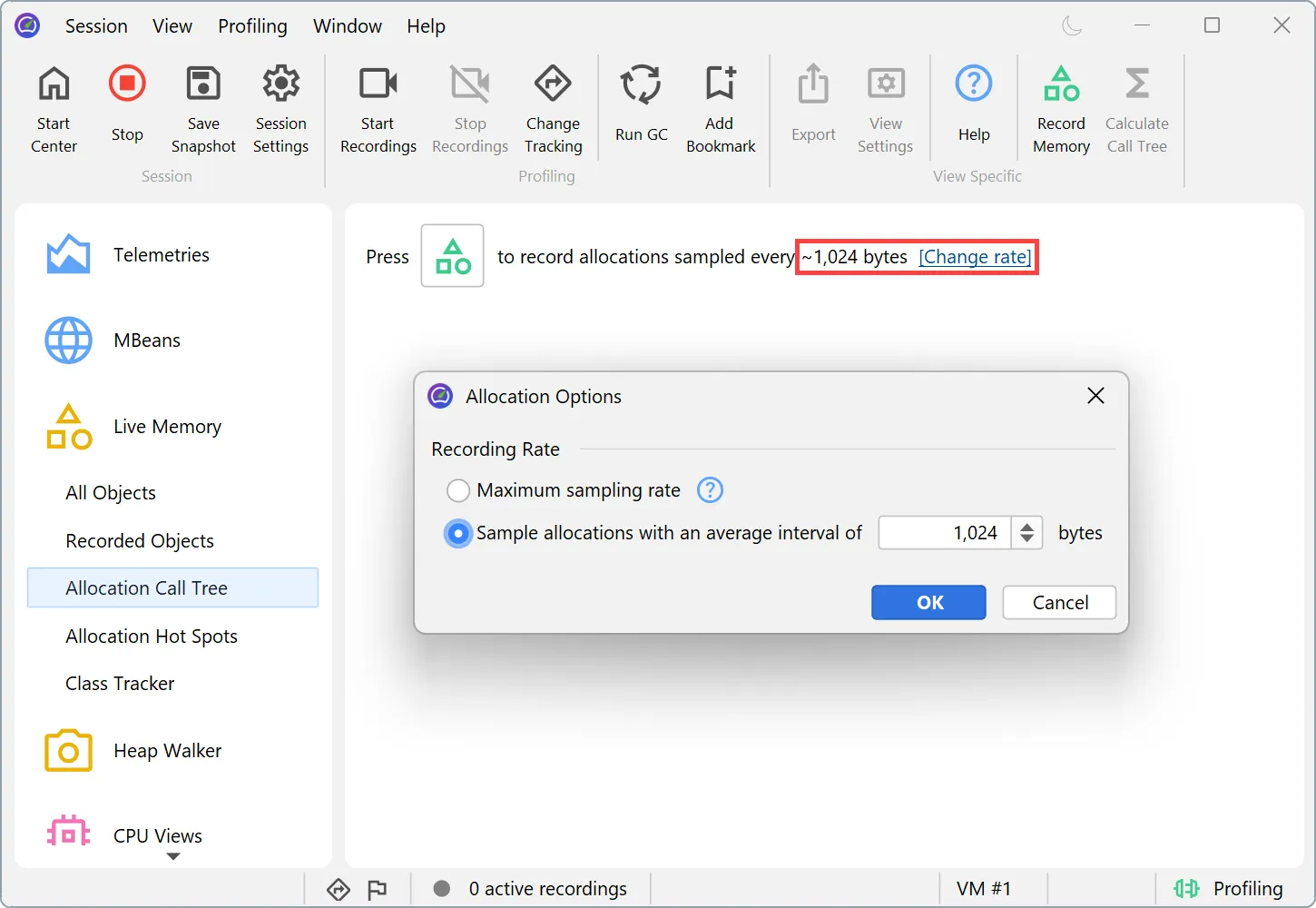
Allocation recording now uses byte-interval sampling with the low-overhead JVMTI allocation sampling mechanism (JEP 331) as the default on Java 11+. Instead of instrumenting constructors to record every n-th object, the profiling agent receives sampled allocation events from the JVM for every N allocated bytes.
This removes any distortions of the measurement through constructor instrumentation that could disable escape analysis in the HotSpot JIT. At the same time, the recording overhead is lower.
The sampling interval is now configured in bytes with a default of 1024. On Java 8 and JVMs without the JVMTI sampling capability, the previous instrumentation-based recording is used automatically.
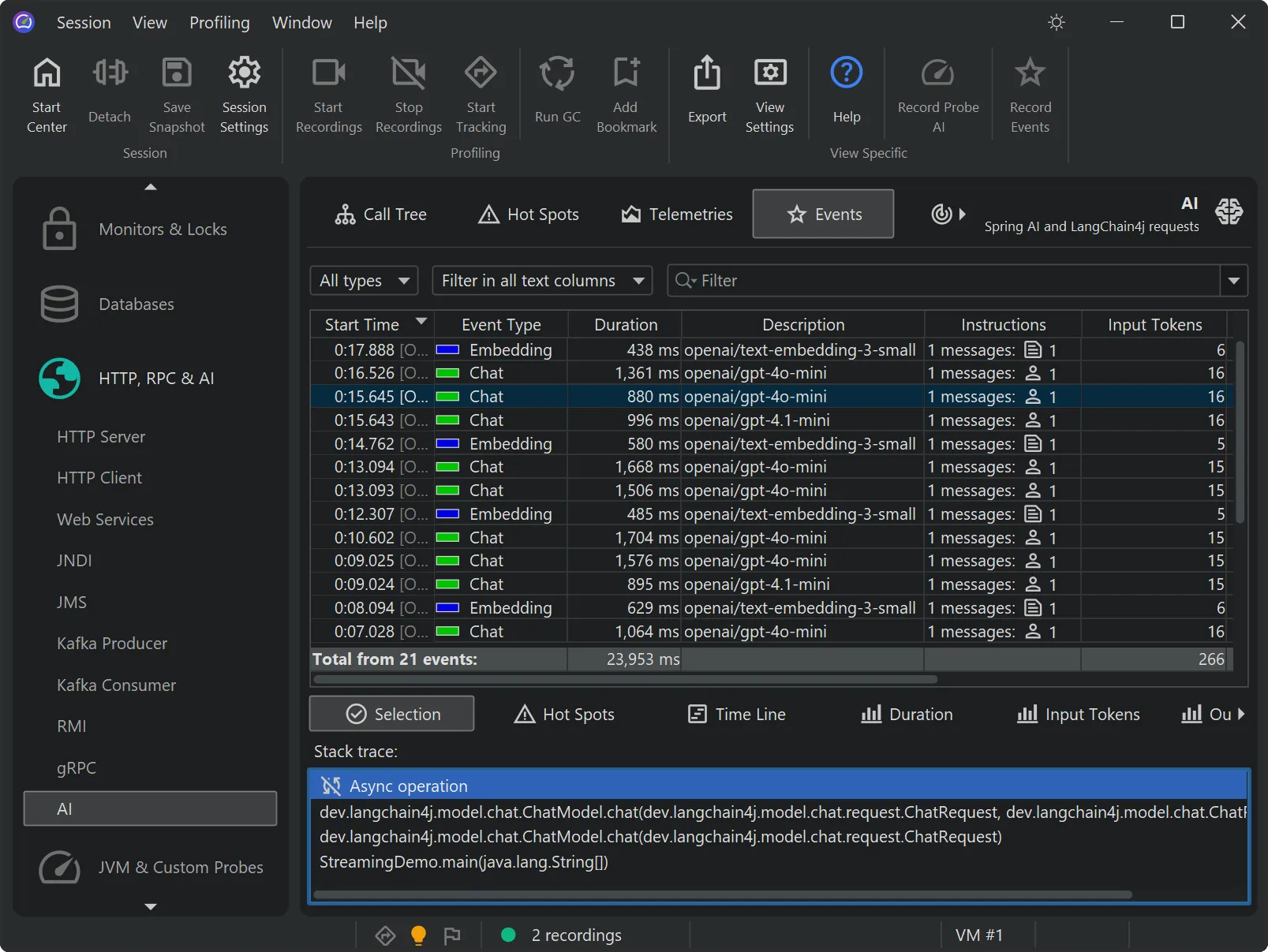
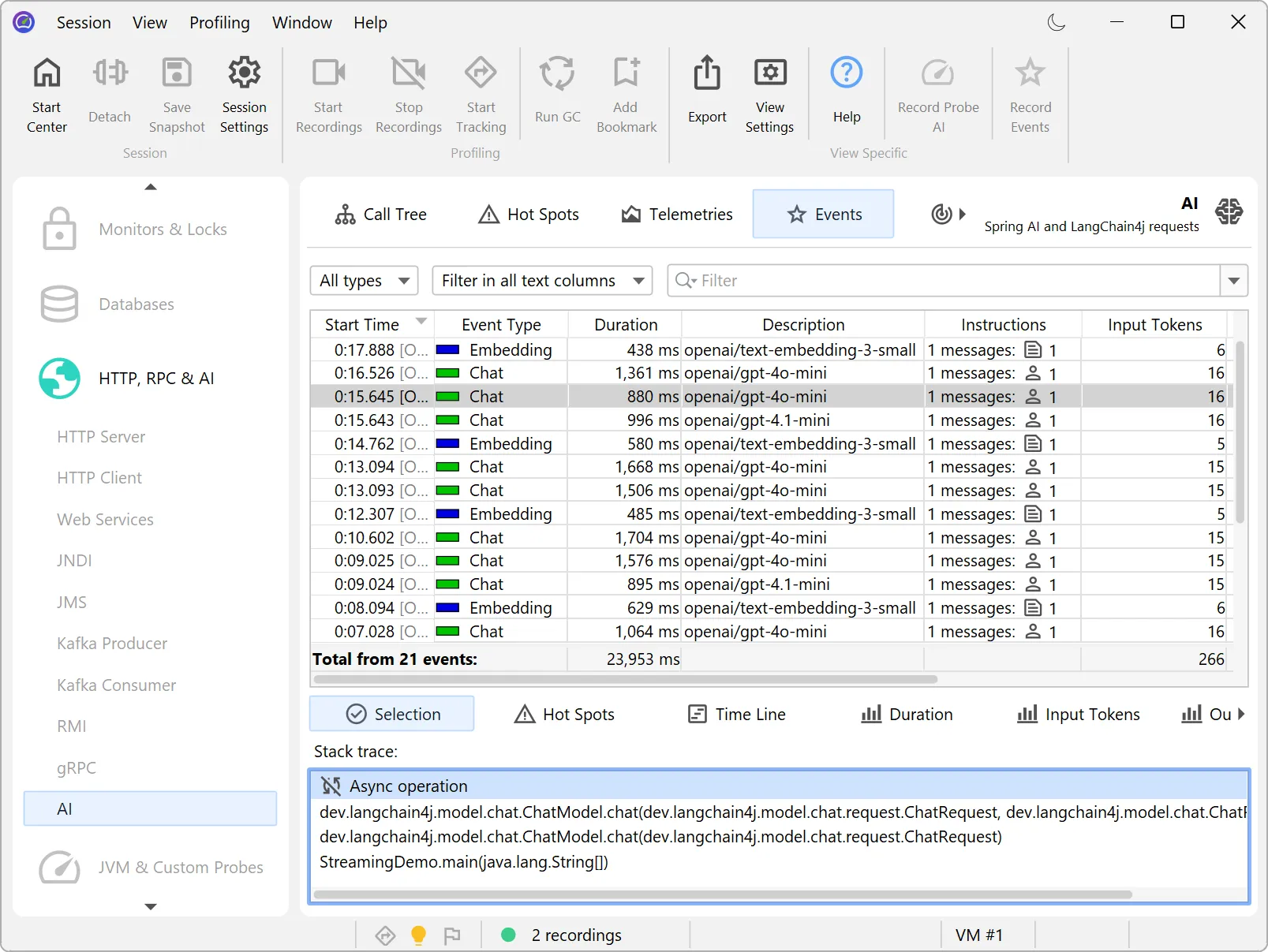
The AI probe now supports LangChain4j async and streaming requests, so all LLM interaction patterns of LangChain4j are covered.
Streaming responses are assembled into the complete reply, and token usage as well as the total duration are recorded just like for synchronous calls. Asynchronous requests are tracked until they complete, cancel or time out, so events, hot spots and telemetries show correct data for all of them.
Offline profiling can now be configured directly in the -agentpath VM parameter,
without a JProfiler config file. Previously, offline mode required you to export a session configuration from the JProfiler UI first.
You can specify the most common profiling settings inline: the call tree collection mode with callTreeMode and the
profiled, compact and ignored package filters with profile, compact and ignore. On top of that,
you can add a complete automated recording sequence that saves a snapshot without any API calls or jpcontroller, using
the snapshot, recording, duration and delay options.
For example, the parameter
-agentpath:...=offline,callTreeMode=sampling,profile=com.mycorp.,\
    snapshot=/tmp/snapshot.jps,recording=cpu:allocation,duration=10m
records CPU and allocation data for ten minutes and then saves a snapshot.
The same inline settings and recording options are also available for the jpenable command line tool, which attaches the
profiling agent to an already running JVM. When you select offline mode, jpenable guides you through the settings with its interactive rich
console.
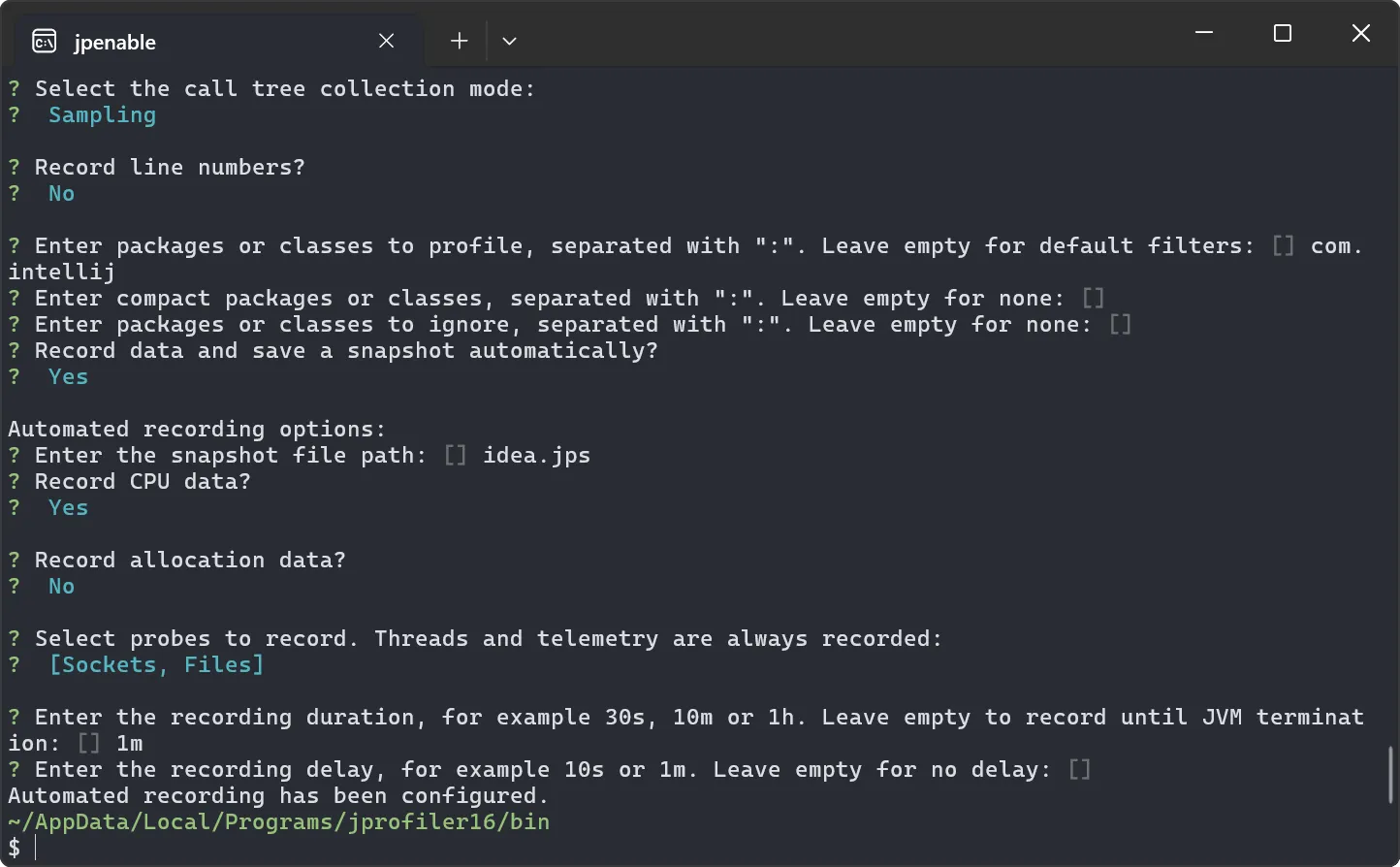
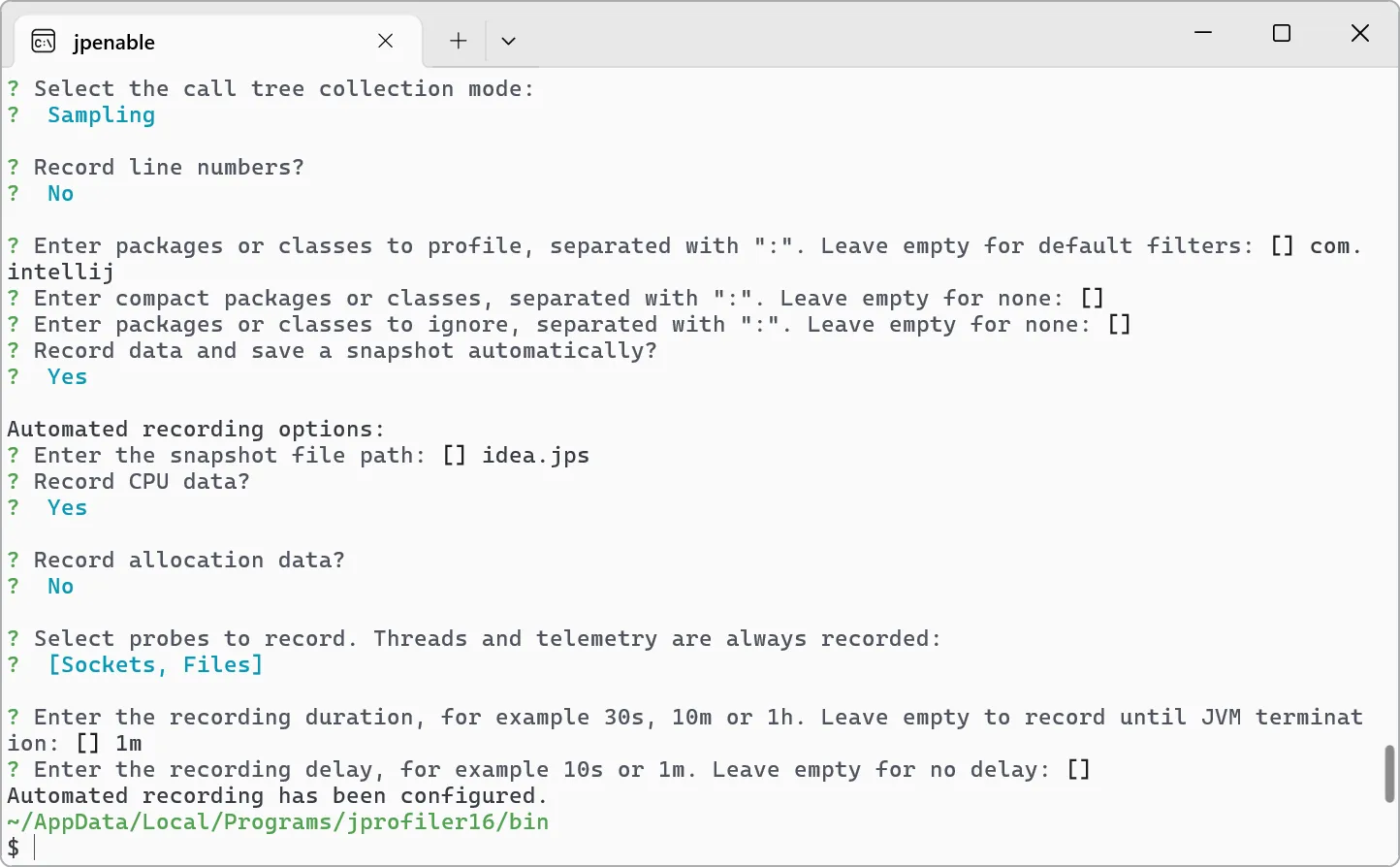
Alternatively, you can supply the settings on the command line with --call-tree-mode, --profile,
--line-numbers, --snapshot, --recording, --duration and more for non-interactive use
in a CI pipeline.
The Gradle and Ant profiling tasks expose the same capability through task attributes, so you can configure offline profiling and automated recording sequences right in your build script.
The MCP server introduced in JProfiler 16.1 has been improved. It now works reliably with weaker models and follows the profiling workflow more robustly. Antigravity has been added as a supported AI coding tool.